Generating a client
rackend generates an OpenAPI document for your instance: every client-facing endpoint, with request and response types derived from your collections. Standard generators turn it into a typed client for your language. This is the supported way to call rackend from code.
Get the document
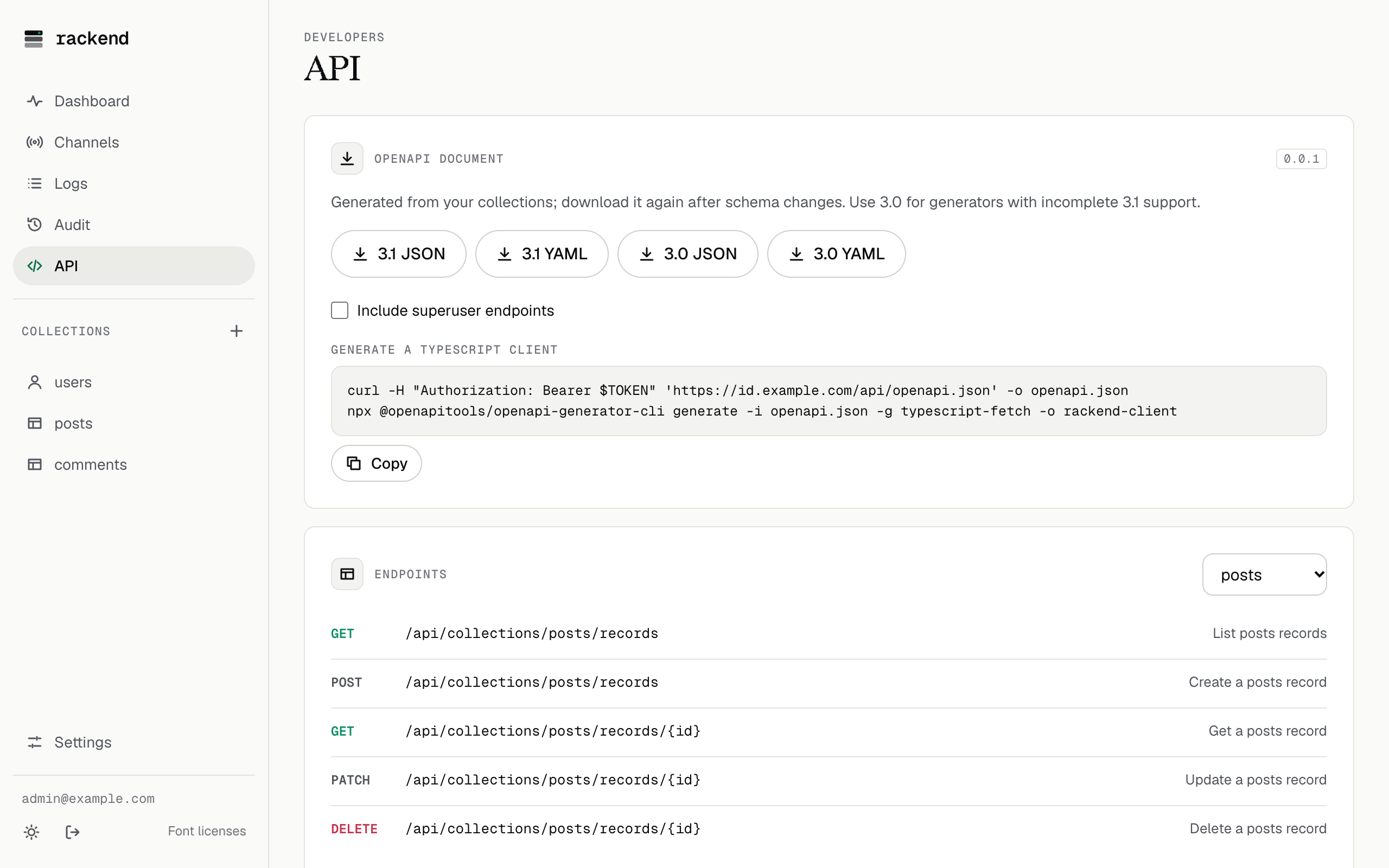
Section titled “Get the document”- Admin UI: API → download 3.1 or 3.0, JSON or YAML.
- HTTP:
GET /api/openapi.jsonor/api/openapi.yaml, with?version=3.0for 3.0.3 and?include=adminfor the superuser endpoints. - CLI:
rackend openapi export [--version 3.0|3.1] [--include-admin] [--format json|yaml]prints it. It opens the database read only, so it works next to a running server, for example in a build pipeline.
The document describes your schema, so it is for superusers by default. Set api.openapi_public to true in the settings to serve it to everyone; the public document leaves out operations whose rule is locked.
Download it again after you change collections: the output is deterministic, so a diff shows what changed.
Generate
Section titled “Generate”openapi-generator supports most languages. With Docker:
docker run --rm -v "$PWD:/work" openapitools/openapi-generator-cli:v7.17.0 generate \ -i /work/openapi.json -g typescript-fetch -o /work/rackend-clientor with Node: npx @openapitools/openapi-generator-cli generate -i openapi.json -g typescript-fetch -o rackend-client.
Other generators (python, go, kotlin, swift5, dart, …) work the same way. rackend’s CI generates typescript-fetch and python clients for every change and runs them against a server. If a generator struggles with OpenAPI 3.1, use the 3.0 document.
Each collection gets its own API class with list, get, create, update and delete methods, and typed records. Auth collections also get the sign-in methods that are enabled for them.
TypeScript (typescript-fetch):
import { Configuration, NotesApi, UsersApi, FilesApi } from './rackend-client/src';
const base = 'https://api.example.com';const auth = await new UsersApi(new Configuration({ basePath: base })).usersAuthWithPassword({  usersAuthWithPasswordRequest: { email: 'ada@example.com', password: 'a long password' },});const config = new Configuration({ basePath: base, accessToken: auth.accessToken });
const notes = new NotesApi(config);const note = await notes.notesCreate({ title: 'Hello', owner: auth.record.id, attachment: file });const page = await notes.notesList({ filter: "title ~ 'hello'", sort: '-created' });const blob = await new FilesApi(config).filesGet({ collection: 'notes', id: note!.id, filename: note!.attachment! });
Python (python):
import rackend_client as rc
with rc.ApiClient(rc.Configuration(host=base)) as anon:    auth = rc.UsersApi(anon).users_auth_with_password(        rc.UsersAuthWithPasswordRequest(email="ada@example.com", password="a long password"))
with rc.ApiClient(rc.Configuration(host=base, access_token=auth.access_token)) as client:    notes = rc.NotesApi(client)    note = notes.notes_create(title="Hello", owner=auth.record.id, attachment=("hello.txt", b"hi"))    page = notes.notes_list(filter="title ~ 'hello'")
Good to know
Section titled “Good to know”- Access tokens expire (15 minutes by default). Refresh them with the collection’s
auth_refreshoperation and the refresh token, then create a new configuration. - Collections with file fields take
multipart/form-datain the generated client: fields are form parts and files are file parts. rackend reads numbers, booleans, lists and JSON from form parts. A plain JSON body works too when you call the API yourself. - Update modifiers (
views+,tags+,+tags,tags-) are described on the update schema rather than as typed properties, because generators would turntags+andtags-into the same name. Send them as extra properties, or in the@jsonpart of a multipart request. - Creates and updates may answer 204 when the caller may not view the result (the view rule says no). Generated methods then return nothing.
- Errors are RFC 9457 problem details; generated clients raise them as exceptions with the body attached. Match on
code, see Errors. - Realtime (WebSocket, live events) cannot be described in OpenAPI: see the realtime protocol.