Backups and restore
rackend writes backups to backups/backup-<time>.tar.zst: a consistent snapshot of data.db, the uploaded files in storage/ (filesystem storage, thumbnails left out) and a manifest with a checksum for every file.
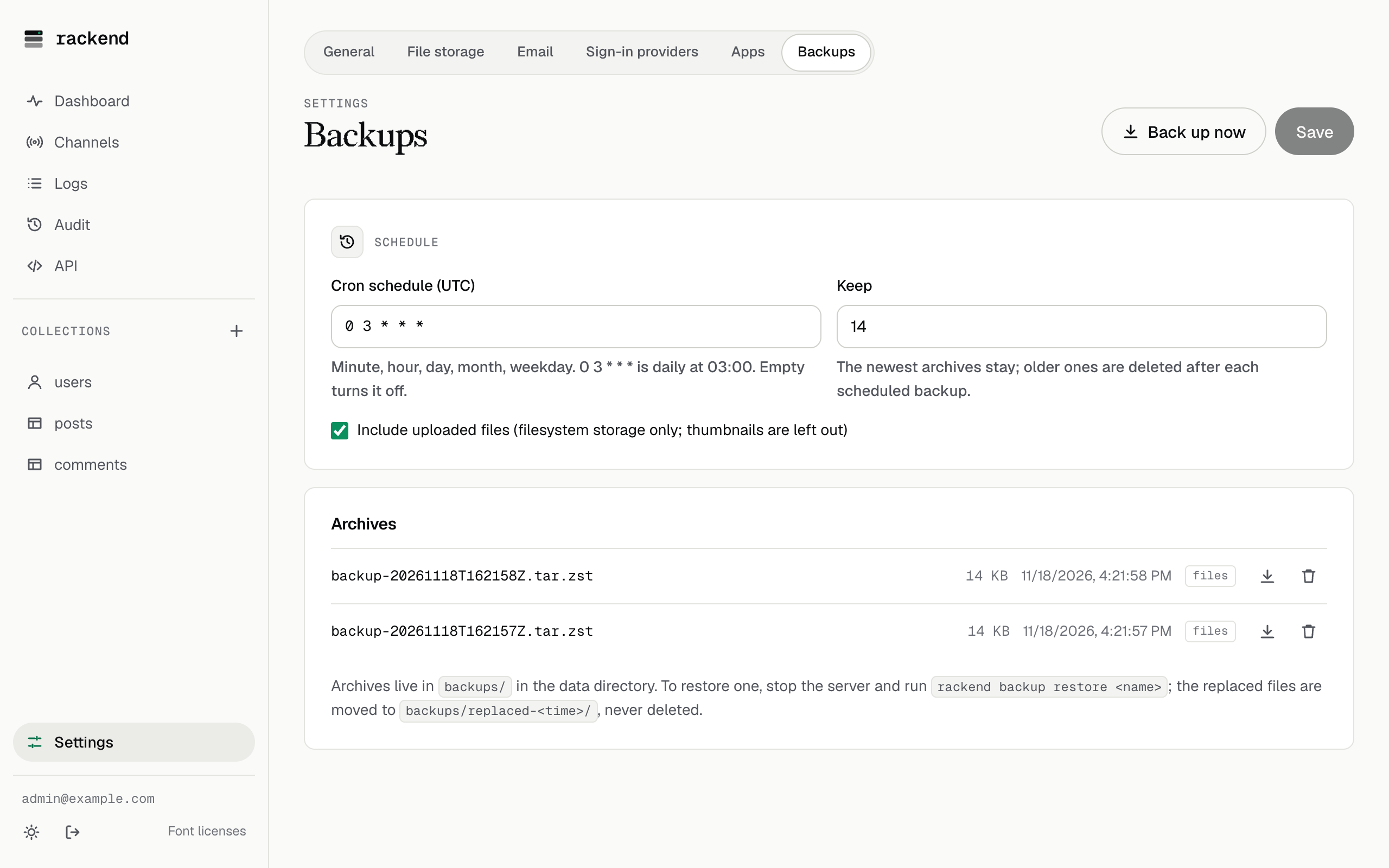
- Scheduled. Daily at 03:00 UTC by default (
backups.schedule, a cron expression; empty turns it off). The newestbackups.keeparchives (default 7) are kept. - On demand. Settings → Backups in the admin UI,
POST /api/backups, orrackend backup create(works while the server runs). - Off site. Copy the archives somewhere else, or download them from the admin UI. A backup on the same disk does not survive the disk.
- S3 storage. With S3 the archive holds the database only; turn on bucket versioning to keep older files.
Restore
Section titled “Restore”To restore, stop the server and run:
rackend backup restore backup-20261117T030000Z.tar.zstrackend checks every checksum first and changes nothing if the archive is damaged. The current data.db and storage/ are moved to backups/replaced-<time>/, never deleted. An older database is migrated when the server starts.
rackend check reports database integrity problems and files whose blob is missing. It only reads and is safe next to a running server.